Summer rush survival guide: Simple marketing tips for shops
Survive the summer rush! Get simple, actionable marketing tips for your shop or restaurant, from Google Business Profile updates to easy social media strategies
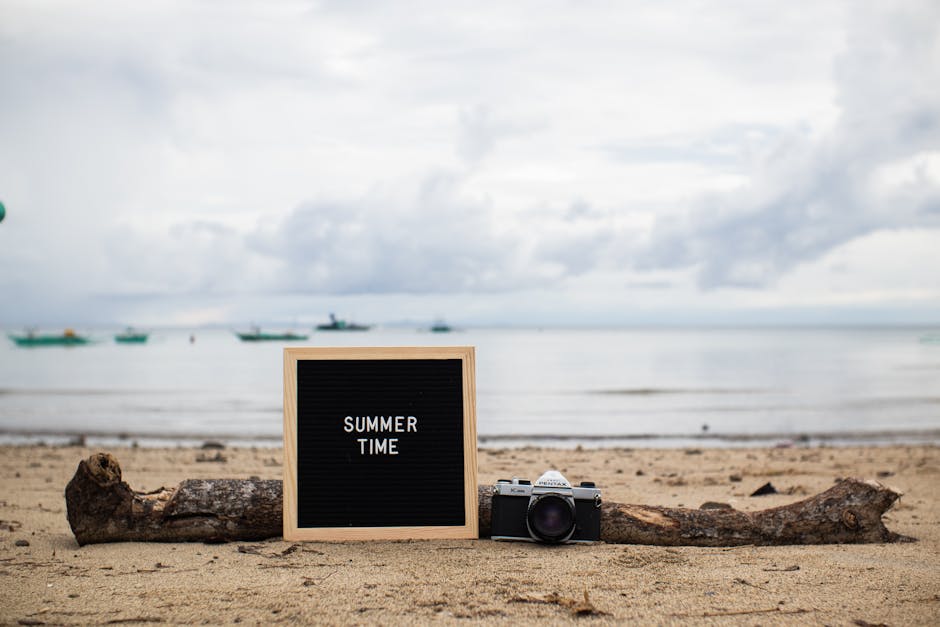
Get Ready for the Summer Crowd
Summer is a big deal for many local shops, restaurants, and service providers. Think about it: longer days, vacations, and people just generally being out and about more often. This means more foot traffic, more online searches, and a real chance to connect with new customers. But it can also feel like a whirlwind, right? You're busy serving customers, managing your team, and keeping everything running smoothly. The last thing you want to do is stare at a blank screen, wondering what to post on social media.
That's where a smart, simple marketing plan comes in. You don't need to spend hours every day on marketing. You just need a few key strategies to make sure your shop stands out when the summer rush hits. We're talking about practical tips that fit into your already packed schedule, helping you attract those summer customers without adding more stress to your plate.
Make Your Google Business Profile Shine
When people are out exploring during the summer, where do they look for local businesses? Often, it's Google. Your Google Business Profile (GBP) is your digital storefront, and it's essential to keep it updated. Think of it as your most important online listing.
- Update Your Hours: Are you changing your hours for summer? Maybe staying open later or closing on a different day? Make sure your GBP reflects this accurately. Nothing's worse than a customer showing up to a closed shop.
- Post Summer Photos: Show off your summer vibe! Did you decorate for a summer theme? Do you have new seasonal products or dishes? Upload high-quality photos. Real photos of your shop, your team, and your actual customers enjoying your offerings make a huge difference.
- Add Special Offers: Got a summer discount, a new seasonal menu item, or a special event? Use the 'Posts' feature on your GBP to share these. These posts show up directly in search results and on Google Maps, catching the eye of potential customers.
- Reply to Reviews: People are more likely to leave reviews when they're out and about. Make it a point to reply to every review, good or bad. It shows you care and are engaged with your customers. A simple "Thanks for stopping by!" goes a long way.
Keeping your GBP fresh and active tells Google your business is relevant and open for business. This helps you rank higher in local searches, meaning more people find your shop when they're looking for what you offer.
Simple Social Media for Summer Success
Social media doesn't have to be a time sink. For summer, focus on consistency and showing off what makes your business special. Think visual, engaging, and easy to consume.
- Show, Don't Just Tell: Summer is all about experiences. Post photos and short videos of your products in action, happy customers, or your team preparing for the day. A real photo of a refreshing iced coffee or a customer trying on a new summer dress is far more engaging than just text.
- Highlight Seasonal Items: What's new for summer? A seasonal menu? Limited-edition products? Special summer services? Make sure your followers know about them. Create a short series of posts introducing these items.
- Run a Quick Contest or Giveaway: "Tag a friend who needs a summer treat!" or "Share your favorite summer memory at our shop!" Simple contests can boost engagement and get your content seen by more people. A gift card or a popular product makes a great prize.
- Ask Engaging Questions: "What's your go-to summer activity?" or "What's your favorite thing about our town in the summer?" These questions encourage comments and help you connect with your audience.
- Use Stories and Reels: These short, dynamic formats are perfect for showing quick glimpses of your summer day. A behind-the-scenes look at your team getting ready for the rush, a quick tour of your new summer display, or a customer testimonial. They're quick to create and highly engaging.
The key here is not perfection, but consistency. Even just 2-3 posts a week that truly reflect your shop's summer vibe can make a big difference. Postiva helps small business owners keep up with this, turning a few details into a steady stream of on-brand content.
Local Partnerships and Community Engagement
Summer is a great time to team up with other local businesses. When you work together, you both benefit from expanded reach and shared audiences.
- Cross-Promote with Neighbors: Do you have a coffee shop next to your bookstore? Or a salon near a boutique? Offer to promote each other. Maybe a "Show your receipt from [Neighboring Business] and get 10% off!" or a joint social media post.
- Sponsor or Participate in Local Events: Summer often means farmers' markets, street fairs, or community festivals. Having a booth or sponsoring a small part of an event gets your name out there and lets you meet potential customers face-to-face.
- Host a Small Event: Could your shop host a summer-themed tasting, a workshop, or a local artist showcase? Even a small, casual event can draw people in and create a buzz.
These partnerships don't just bring in new customers; they also strengthen your local connection, showing that your business is a vibrant part of the community.
Make it Easy for Customers to Find You
Beyond Google Business Profile, think about all the ways people might look for you.
- Update Your Website: Does your website clearly state your summer hours, any special promotions, or new products? Make sure it's easy to navigate on a phone, as many people will be searching on the go.
- Email Marketing: If you have an email list, send out a summer newsletter. Highlight new items, upcoming events, or exclusive summer deals. Keep it short, sweet, and visually appealing.
- Clear Signage: Sounds simple, but in the summer rush, clear, inviting signage outside your shop is crucial. Is it easy to read your hours? Do you have any eye-catching signs about summer specials?
The goal is to remove any friction for a potential customer. The easier it is to find information about your shop, the more likely they are to visit.
Your Social Media, Handled.
We know you wear many hats as a small business owner. The summer rush can be exciting but also incredibly demanding. Marketing doesn't have to be another burden. Imagine having a steady stream of on-brand social posts, blog content, and Google Business Profile updates, all handled automatically. Postiva does just that, turning a few details about your business into consistent, engaging online presence.
You get your weekend back, knowing your social media and local SEO are taken care of, allowing you to focus on what you do best: running your amazing shop. No more staring at a blank caption box, no more missing out on summer customers because you didn't have time to post. Just effortless, affordable, and genuinely local marketing.
Ready to make this summer your most successful yet? Let Postiva handle your marketing so you can focus on your customers. Learn more about Postiva and see how we can help your shop thrive.
Frequently Asked Questions
Why is summer so important for local shops?
Summer brings longer days, vacations, and more people out and about. This naturally leads to increased foot traffic and online searches, creating a great opportunity to attract new customers.
How can I market my shop effectively without adding more stress during the busy summer?
You don't need to spend hours on marketing. Focus on a few key, practical strategies that fit into your schedule, like optimizing your Google Business Profile, to help your shop stand out.
What is a Google Business Profile and why is it important for my shop?
Your Google Business Profile (GBP) is your digital storefront on Google. Keeping it updated is essential because it's often where people look for local businesses when they are out exploring.